Customer Portal for Service Businesses
Customers view quotes, approve work, track their technician live, and pay invoices — all from a secure link on their phone. No account required.
No credit card required
Features
What customer portal for service businesses actually does
One-Tap Quote Approval
Customers open a secure link, review the quote, and approve it with one tap — no account, no login required.
Live Technician Tracking
A secure SMS link shows the customer their technician's live location on a map. The link expires automatically the moment the job is marked complete.
Pay From Any Device
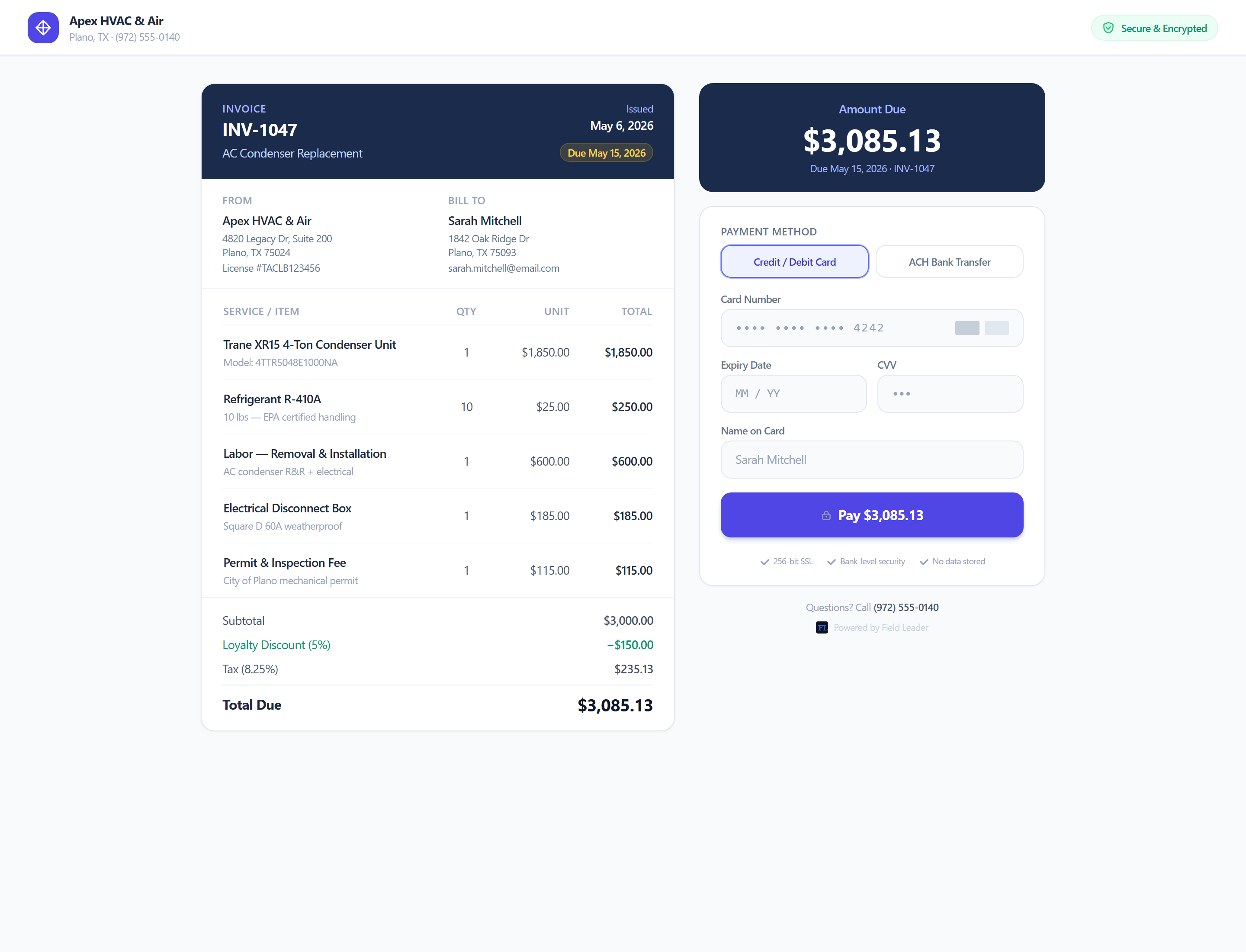
Invoices open as a mobile-optimized payment page. Customers pay with a card or Apple Pay in under 60 seconds — no app download.
How It Works
From start to finish
Receive the Link
A secure, one-time link arrives by text or email — for a quote, a tracking update, or an invoice.
Review or Track
Customers see quote details or their technician's live location, right in the browser.
Approve or Pay
One tap approves a quote. One tap pays an invoice — card or Apple Pay.
Link Expires
Each link is scoped to a single job or invoice and expires automatically once it's done — nothing lingers.
Related Features
Invoicing Software for Contractors
Create an invoice, send a payment link, and get paid — without chasing anyone down. Built for HVAC, plumbing, electrical, and landscaping teams.
Estimates & Quotes Software for Contractors
Build a professional quote in seconds, track when it's viewed, and convert it to a live invoice the moment your customer approves.
Dispatch Software for Service Businesses
Schedule jobs, assign technicians, and track every visit from a single calendar — no group texts, no missed calls, no spreadsheets.
Built For These Industries
HVAC Software for Heating & Cooling Companies
Schedule tune-ups, track maintenance contracts, and get paid for emergency calls the same day.
Plumbing Software for Service & Repair Companies
Dispatch fast on emergency calls and invoice on-site from your phone before you leave the job.
Electrical Contractor Software
Quote the job, get approval, do the work, collect payment — all in the same system.
Landscaping Software for Lawn Care Companies
Keep track of every property, automatically schedule recurring services, dispatch crews, send invoices, and get paid — without the paperwork.
FAQ
Common questions about customer portal for service businesses
Ready to get started?
Customers view quotes, approve work, track their technician live, and pay invoices — all from a secure link on their phone. No account required.
Start FreeNo credit card required