Work Order Software for Service Businesses
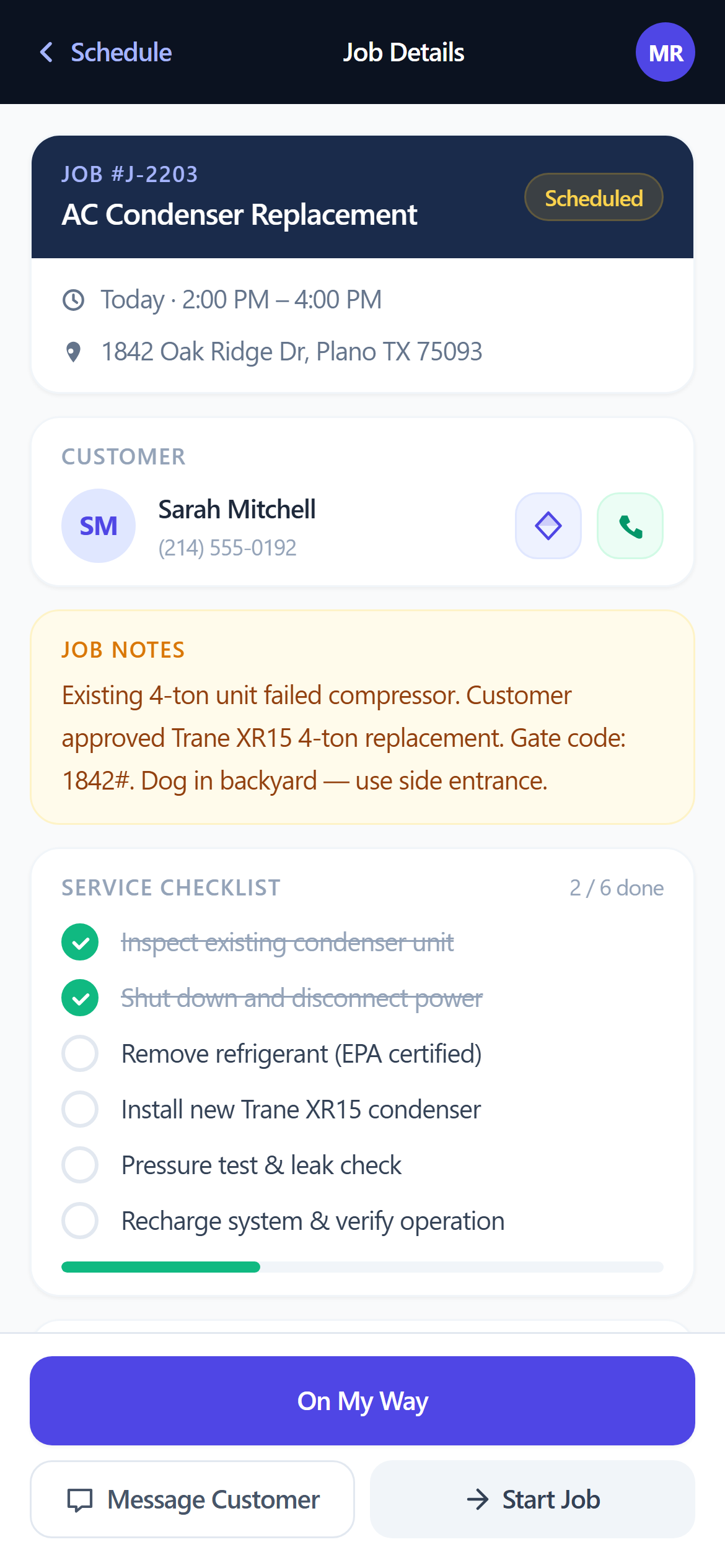
Log the job with customer, address, scope, and line items — then track it from Scheduled to Completed without losing a single detail.
No credit card required
Features
What work order software for service businesses actually does
Fast Job Creation
Log the job with customer, address, and scope. Set a scheduled date and it appears on the dispatch calendar immediately.
Full Status Lifecycle
Jobs move through Scheduled → En Route → On Site → Completed, with every change logged automatically.
Convert to Invoice
Mark the job complete and generate an invoice in one click — the same line items carry through, nothing gets re-typed.
How It Works
From start to finish
Job Logged
Customer, address, scope, and line items are captured on one record.
Scheduled
The job is assigned a technician and a time — visible to the whole team.
Worked
The technician updates status from the field: En Route, On Site, Completed.
Invoiced
Completed work converts directly to an invoice — no re-entering line items.
Related Features
Dispatch Software for Service Businesses
Schedule jobs, assign technicians, and track every visit from a single calendar — no group texts, no missed calls, no spreadsheets.
Job Scheduling Software for Service Teams
See every job on a calendar, assign the right technician, and stop missing appointments — without juggling a whiteboard and a group chat.
Invoicing Software for Contractors
Create an invoice, send a payment link, and get paid — without chasing anyone down. Built for HVAC, plumbing, electrical, and landscaping teams.
Built For These Industries
HVAC Software for Heating & Cooling Companies
Schedule tune-ups, track maintenance contracts, and get paid for emergency calls the same day.
Plumbing Software for Service & Repair Companies
Dispatch fast on emergency calls and invoice on-site from your phone before you leave the job.
Electrical Contractor Software
Quote the job, get approval, do the work, collect payment — all in the same system.
Landscaping Software for Lawn Care Companies
Keep track of every property, automatically schedule recurring services, dispatch crews, send invoices, and get paid — without the paperwork.
Ready to get started?
Log the job with customer, address, scope, and line items — then track it from Scheduled to Completed without losing a single detail.
Start FreeNo credit card required